Speak however you can and sound flawless
Parrlo Translate first understands what you meant to say, and only then translates. For life in Spain
Made on the Costa Brava

Mission
So that a person in a foreign country can speak as best they can and sound flawless. Parrlo first understands what you meant to say, and only then translates.
What Parrlo can do
Understands real speech
Hears you through the noise, forgives slips, and understands from context.
Knows local life
Spells names, places and brands correctly — Girona, Cercanías, Mercadona.
Works without a network too
Usually translation runs in the cloud; with no signal, right on your phone.
Face to face or by QR code
The other person doesn’t need to install anything.
Translates your messages
Paste a message from WhatsApp or email and get a translation of your reply.
Sends your voice
The translation can be sent in your own voice.
What makes Parrlo different
Literary polish before translation
Ordinary translators translate recognised speech as it is, errors and all. Parrlo first turns it into clean, well-written text and only then translates.
Every language is tied to a country
Our Spanish is the Spanish of Spain, with local names and realities.
The translation sounds like you
The other person hears you, not a faceless synthesiser.
Made on the Costa Brava
For life in Spain.
02
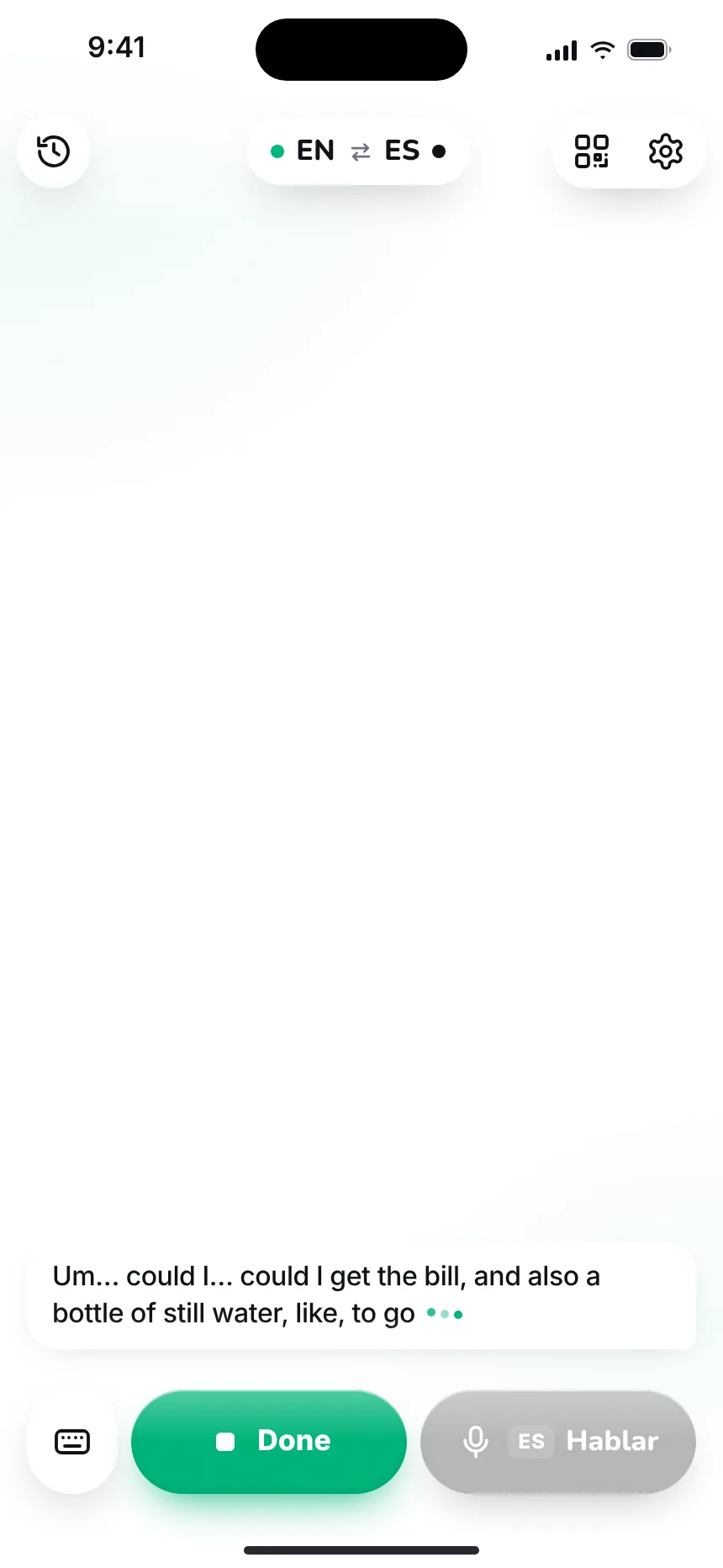
You speak
A noisy pharmacy in Girona. You explain what you need, stumble, start the sentence over. Parrlo patiently listens to the end: the noise doesn’t bother it, and it understands your slips from the meaning.
03
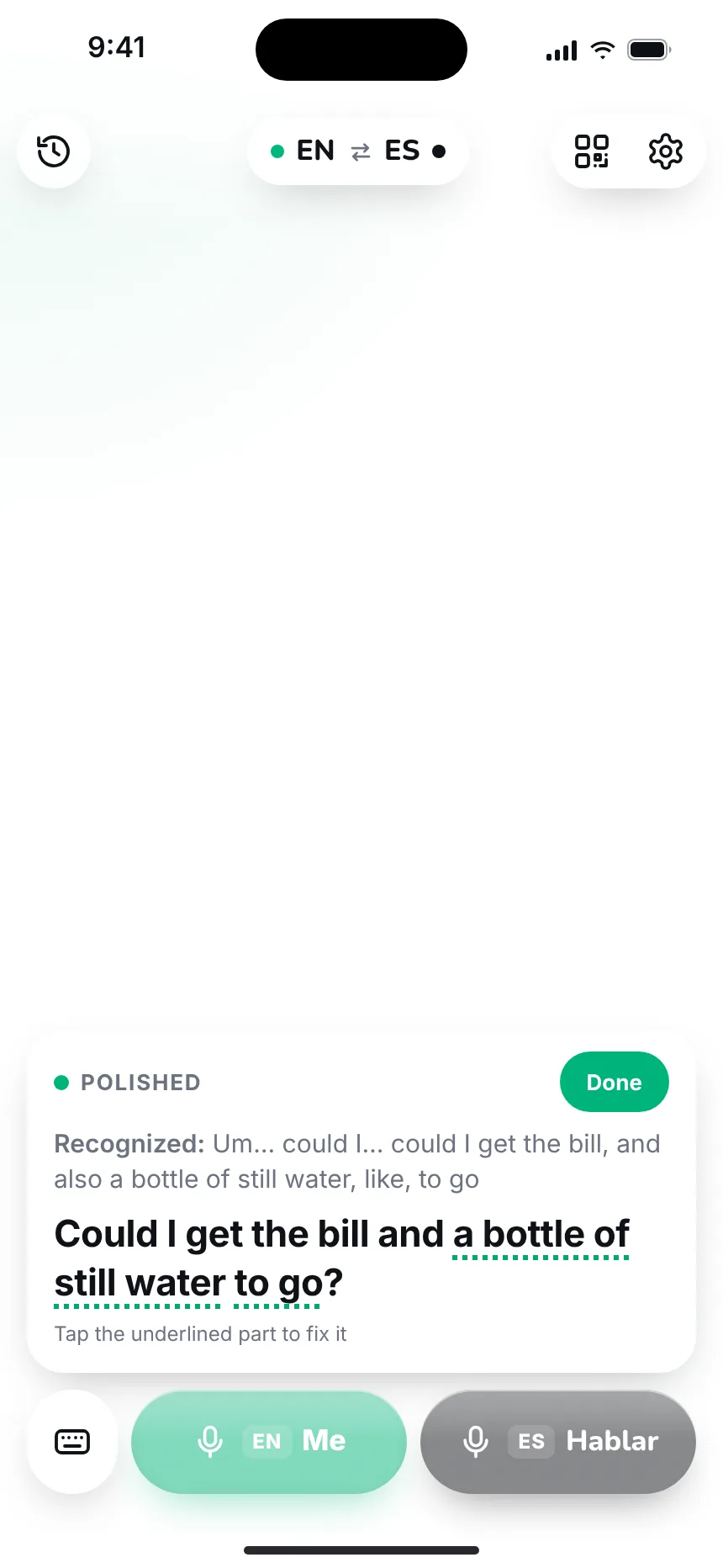
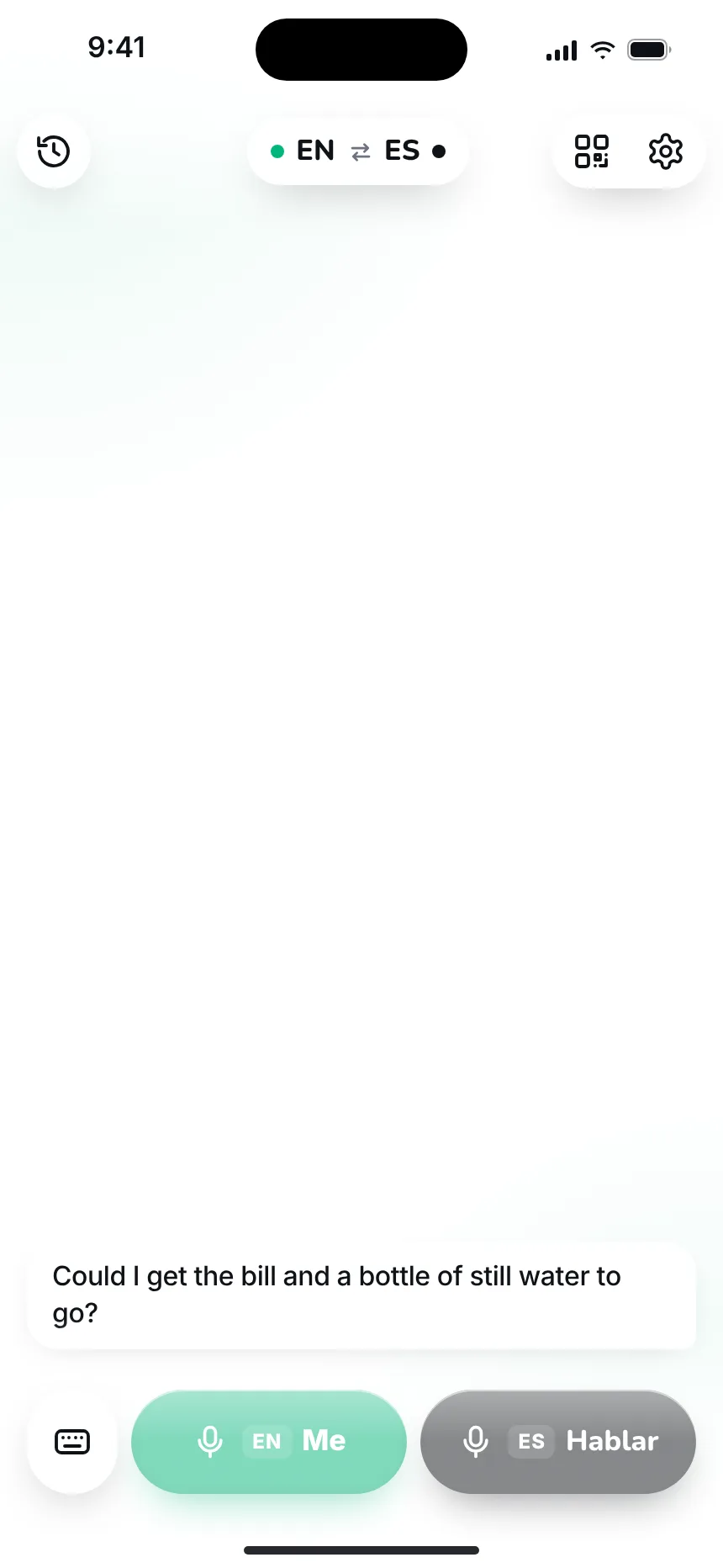
Literary text first
You said “to Cadenas”, but you meant Cadaqués. Before translating, Parrlo fixes names, places and titles and builds a clean, correct sentence out of your speech. That sentence is what gets translated, so the Spanish speaker hears what you meant to say.

04
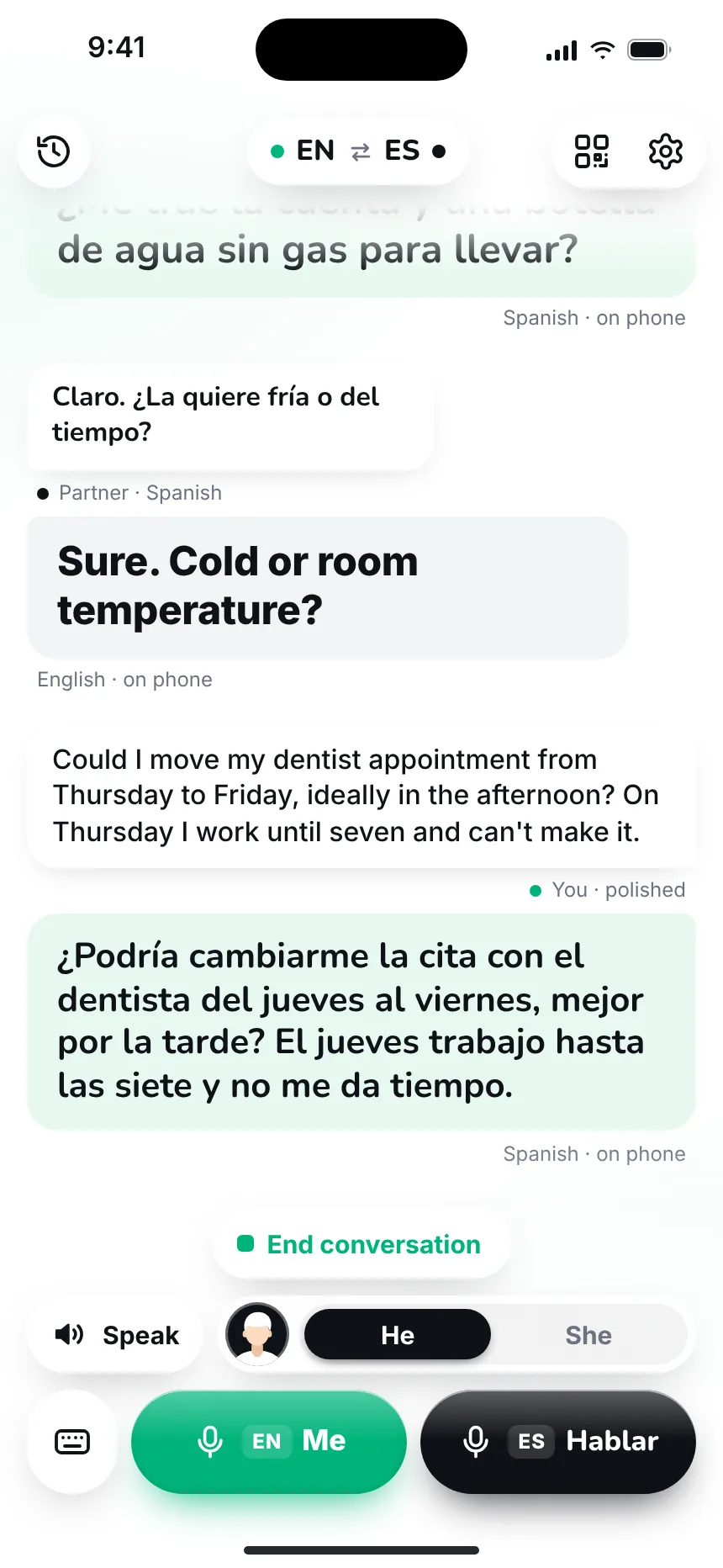
The other person hears
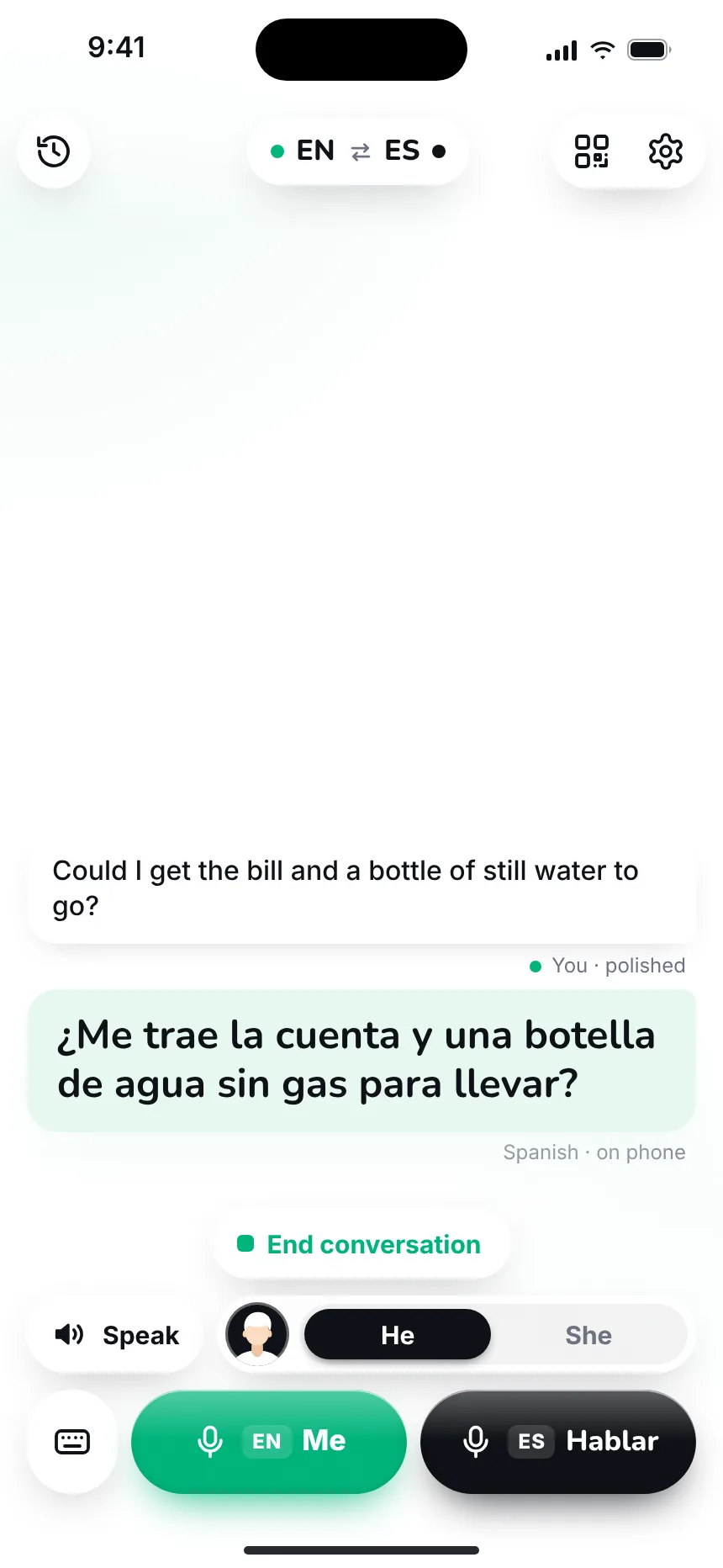
Tap “Speak” and the pharmacist hears the sentence in flawless Spanish. Parrlo knows whether you’re talking to a man or a woman, so the translation sounds in the right gender: “está cansada”, not “cansado”.


05
The other person’s turn
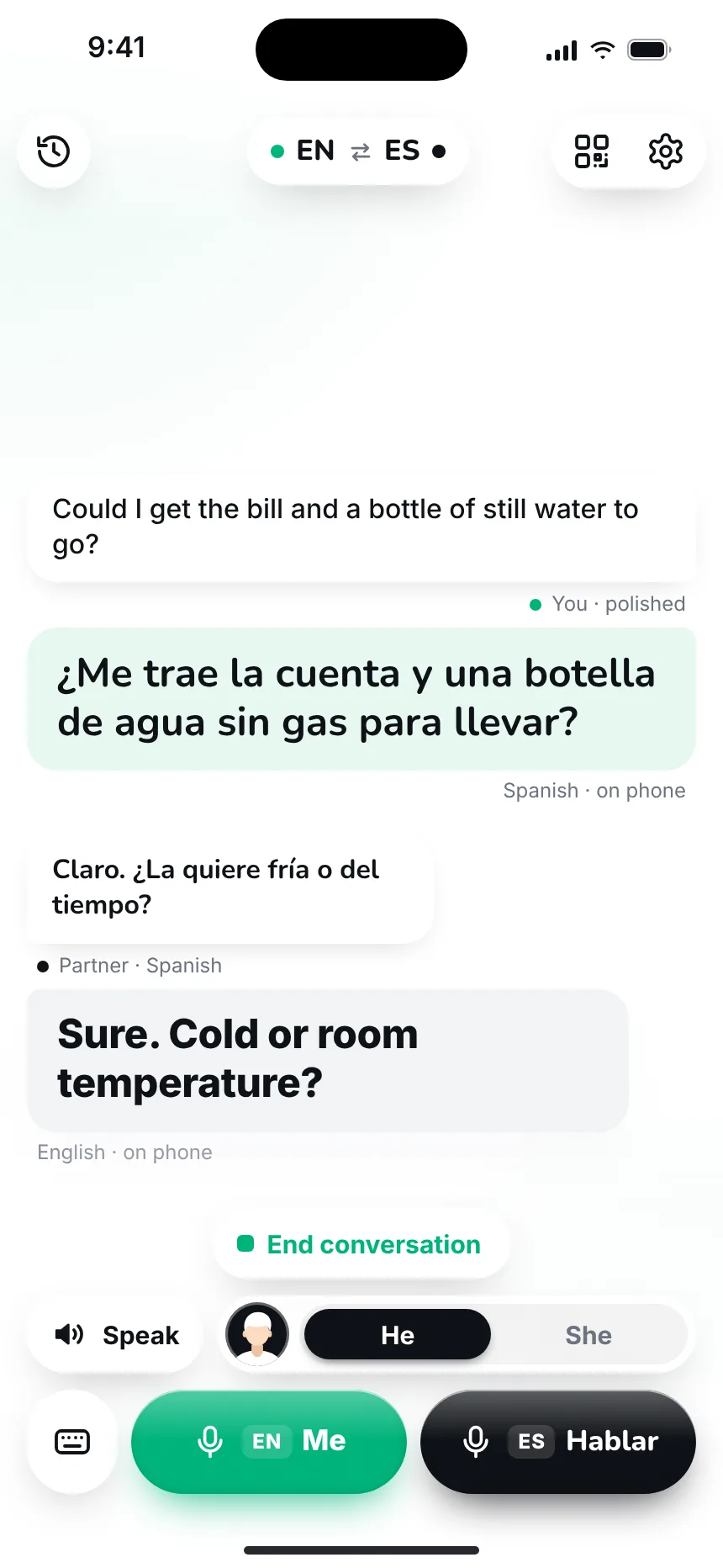
The pharmacist answers in Spanish, fast and with a local accent. Tap “ES · Hablar” and let them finish: the reply appears right away in your language. The conversation goes turn by turn, as with a live interpreter beside you.

06
Every word within reach
Tap any line and a menu opens: view the original, copy, fix a word. If a translation seems off, flag it with one tap and Parrlo will remember.


07
Conversation summary
When the conversation is over, Parrlo shows all of it: your phrases, the replies and the translations. Inexact spots carry a flag. Tap the flag and briefly write what’s wrong: that’s how each next translation gets better.


08
Text mode — your messages
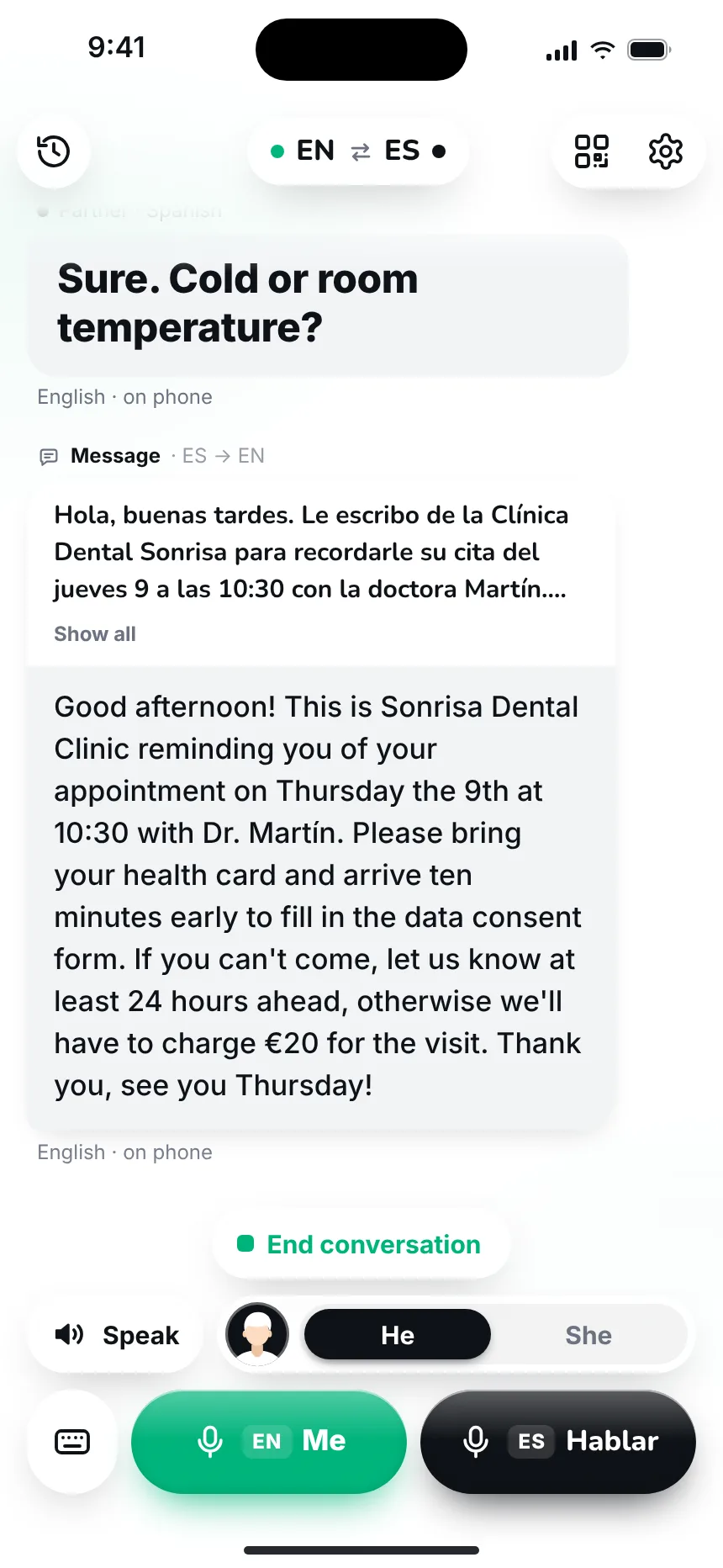
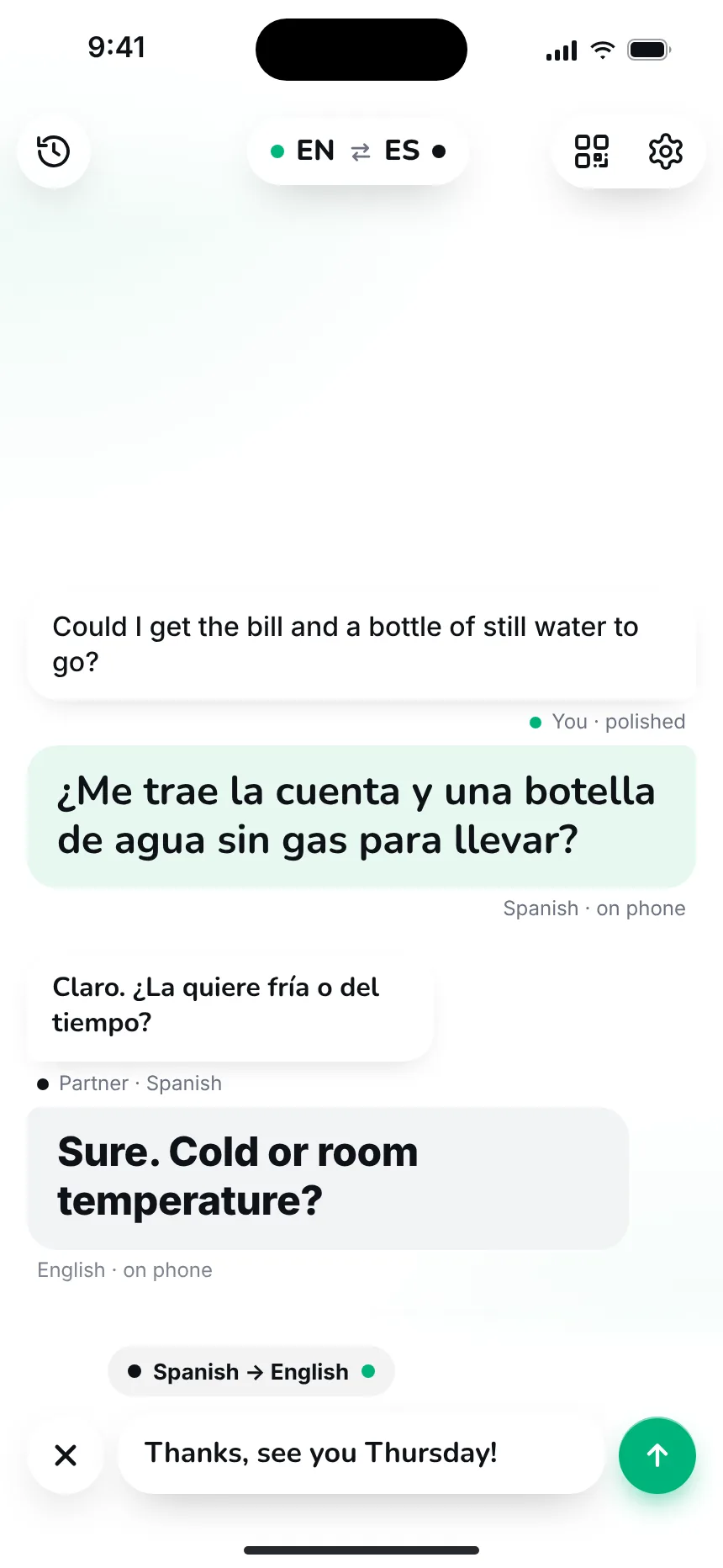
Your landlady writes to you in Spanish on WhatsApp. Paste her message into Parrlo or send it via “Share” and you’ll read it in your language at once. Write your reply as usual: Parrlo translates it into correct Spanish, and all that’s left is to copy and send it.


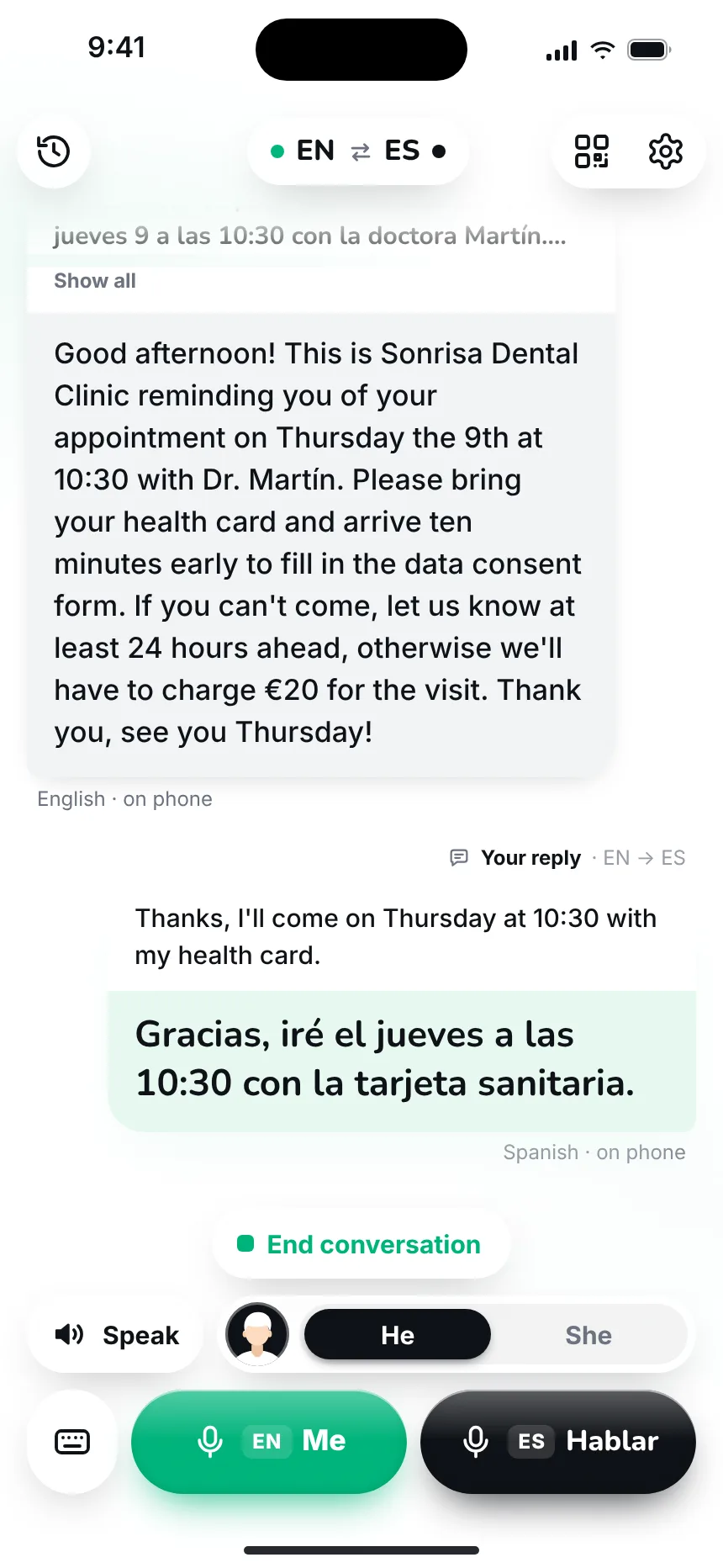
09
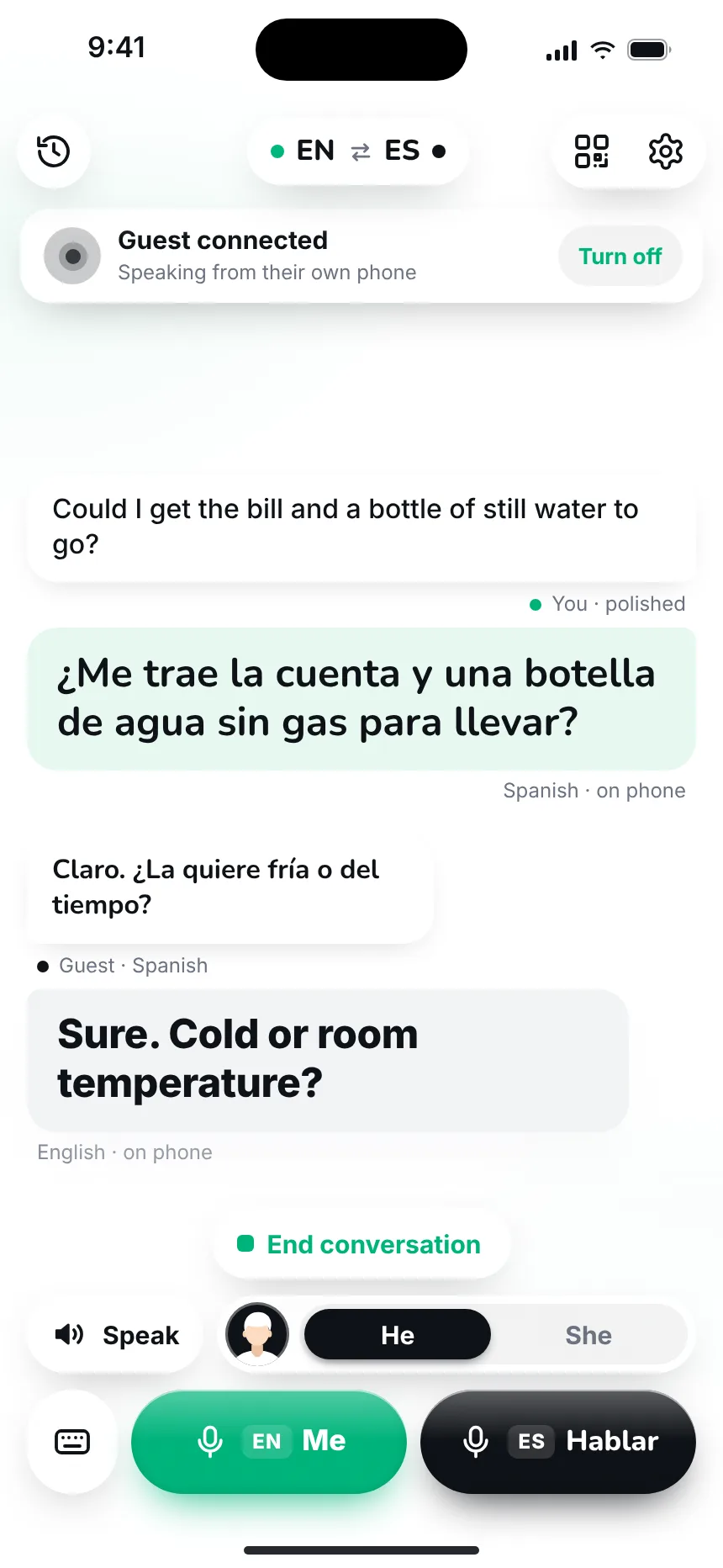
By QR, no install
Your neighbour doesn’t have Parrlo? No problem. Show them the QR code on your screen: they point the camera and the conversation opens in their browser, with no install and no sign-up. Each person speaks into their own phone in their own language and reads the translation on theirs.


10
Your voice
Record two minutes of your speech and Parrlo can send translations in your own voice. The voice stays yours: it is used only with your consent.
11
Offline
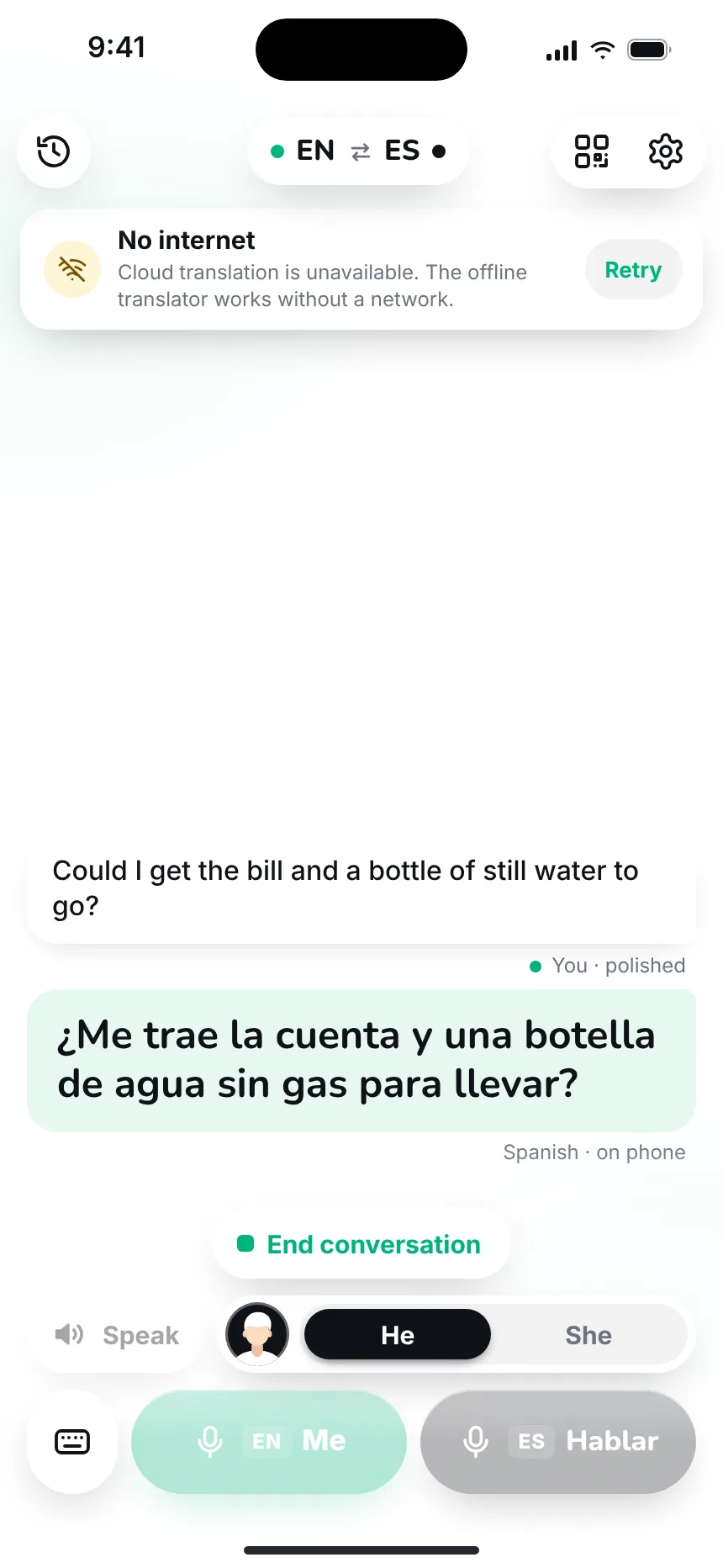
No signal in the mountains or on the metro? Download the offline translator in settings and Parrlo will translate right on your phone.
12
History
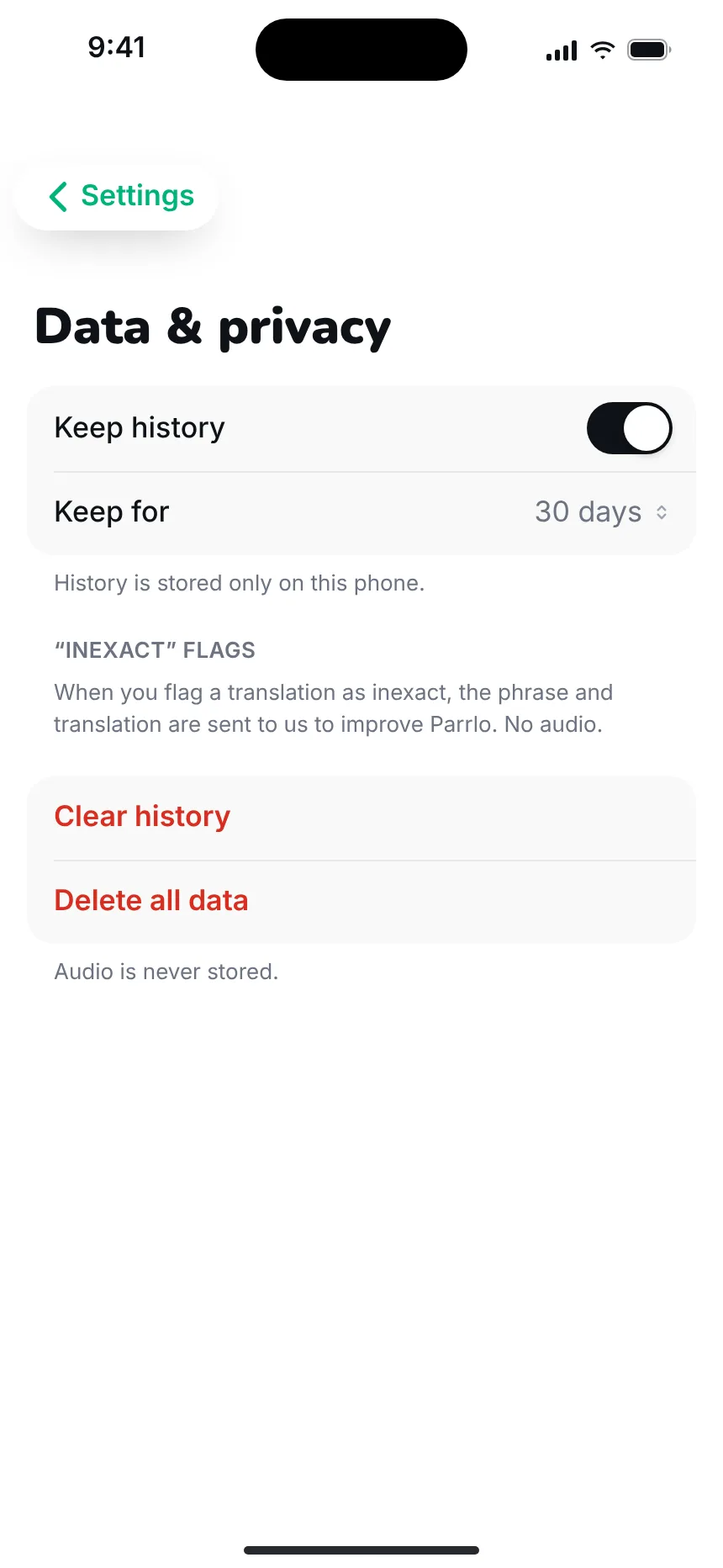
All conversations are saved on your phone: you can go back and reread them.


13
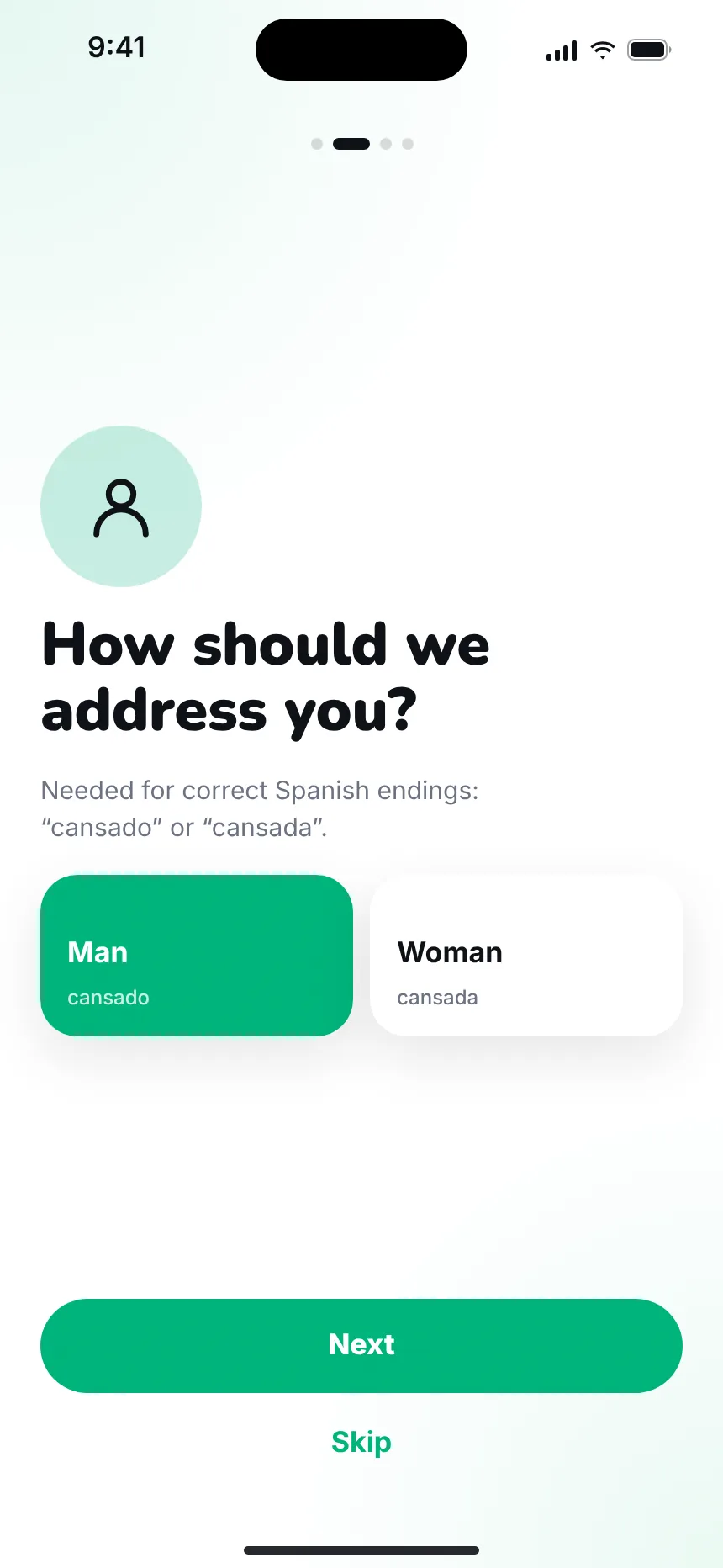
First launch
Four short steps: welcome, what to call you, microphone access, setup.



14
Settings and privacy
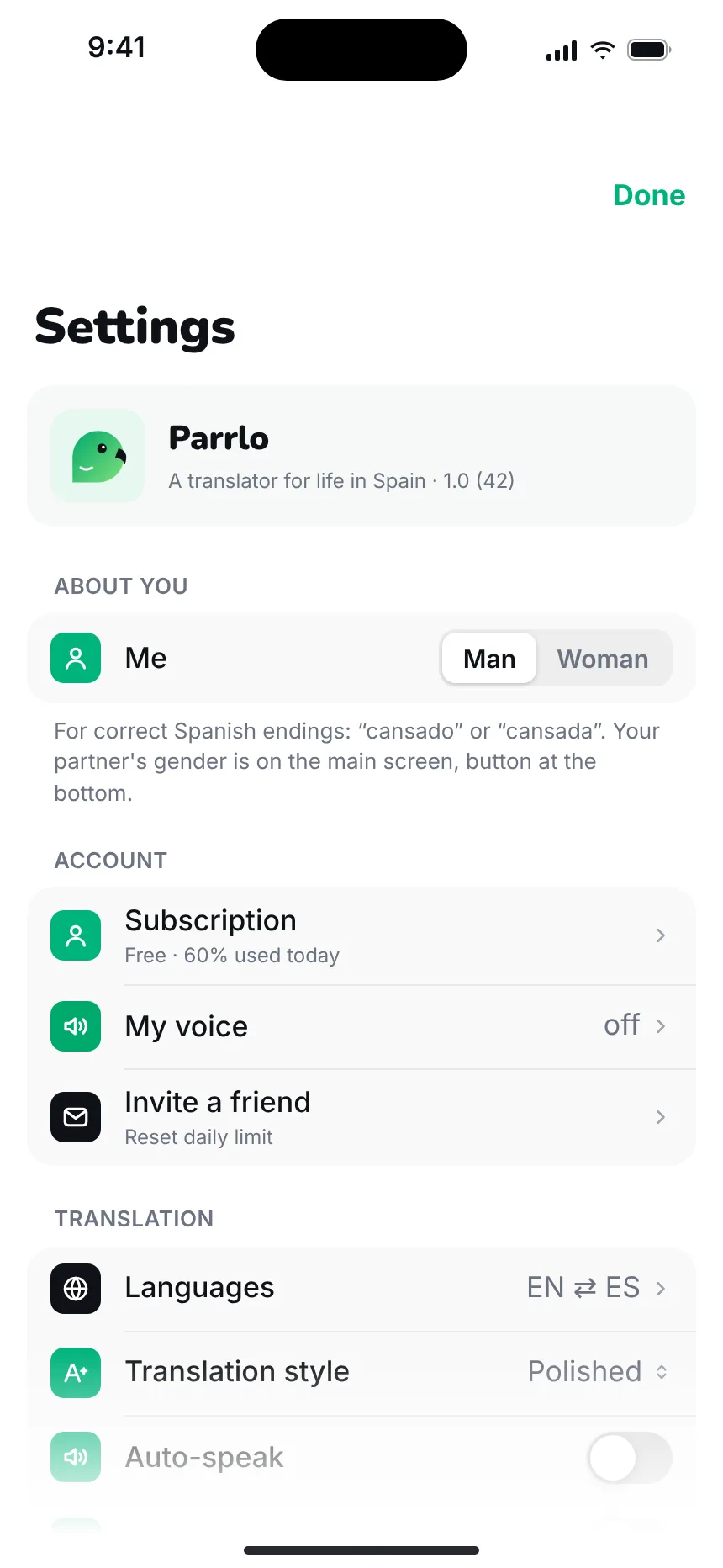
Translation style, auto-speak, language and appearance. Your data stays under your control.
15
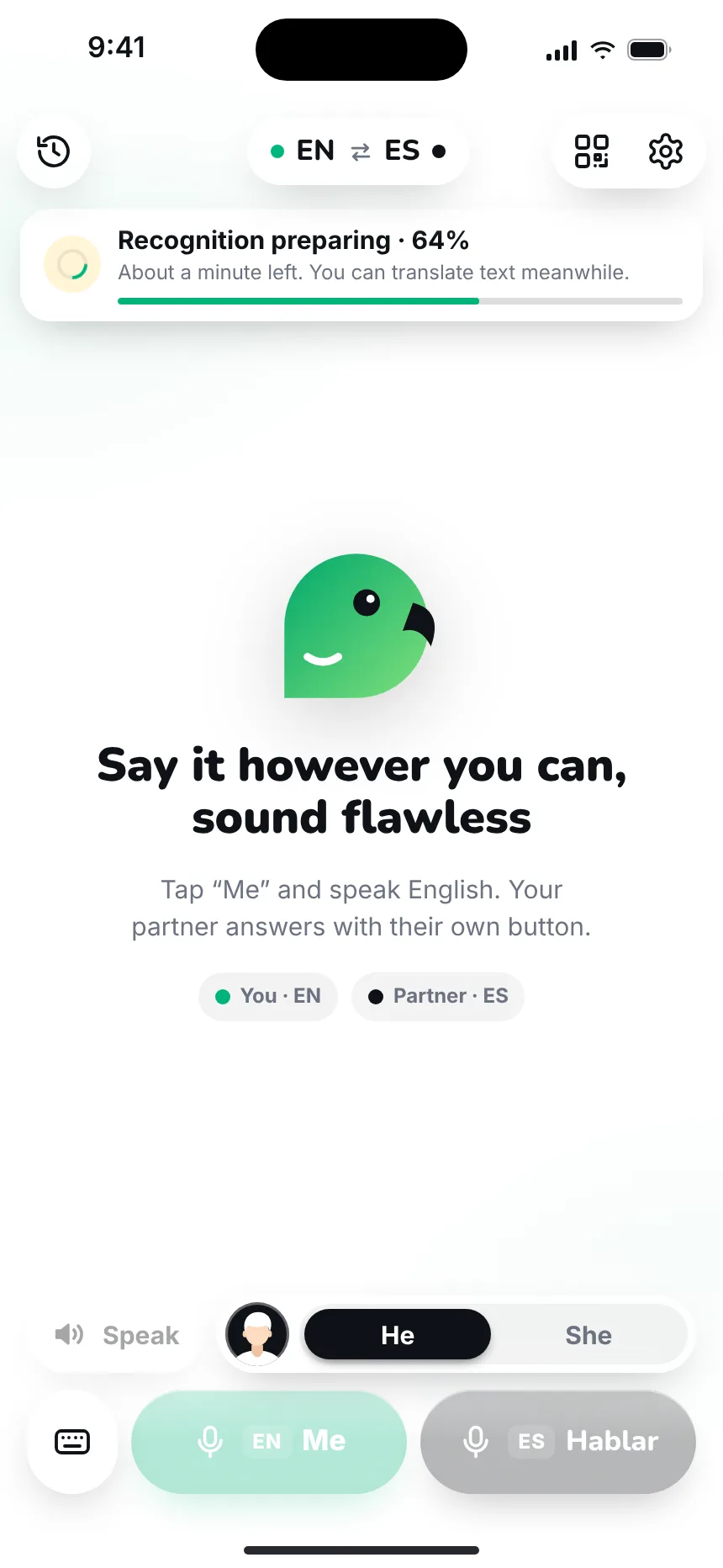
When something’s wrong
No microphone, no network, model not downloaded yet — Parrlo honestly tells you what happened and what to do.

Questions and answers
What is Parrlo Translate?
A translator for life in Spain. It first understands what you meant to say, turns your speech into clean, well-written text, and only then translates.
Do I need the internet?
Usually translation runs in the cloud. If there is no signal, download the offline translator in settings — Parrlo will translate right on your phone.
Does the other person need to install anything?
No. Show them the QR code on your screen: the conversation opens in their browser, with no install and no sign-up.
Can I translate WhatsApp or email messages?
Yes. In Text mode, paste the message or send it via “Share”, read the translation, and get a translation of your reply.
Where are my conversations stored?
All conversations are saved on your phone. Your data is under your control; details are in settings and in the privacy policy.
What is translation in your own voice?
You record two minutes of your speech and Parrlo can send the translation in your own voice. The voice is used only with your consent.
Speak as you can. Sound flawless.
Parrlo Translate — for life in Spain.